Player import
CSV or XLSX. Columns are recognised, duplicates flagged before the import.
Team Manager schedules matches and training sessions, assigns locker rooms and pitches, and collects attendance from parents. An app for Luxembourg's football clubs.
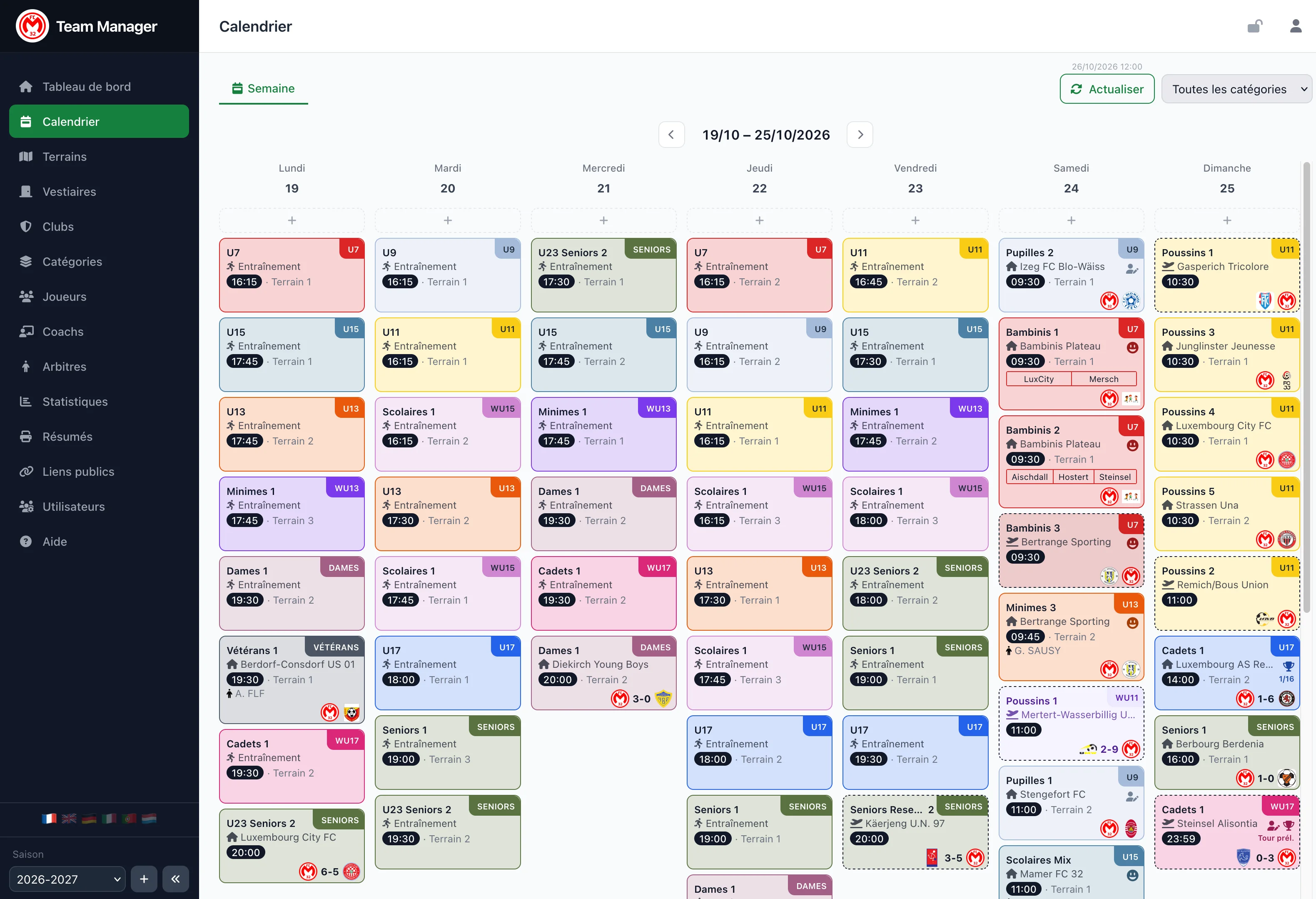
Your players, teams, locker rooms and pitches are entered once. After that, every week is prepared in one place.
The coach creates the week's link and posts it in the U11 WhatsApp group. Parents reply present or absent.
Automatic sync: categories and teams are up to date before the first volunteer wakes up.
Saturday's match moves from 10:00 to 11:00? Locker rooms and pitches follow on their own.
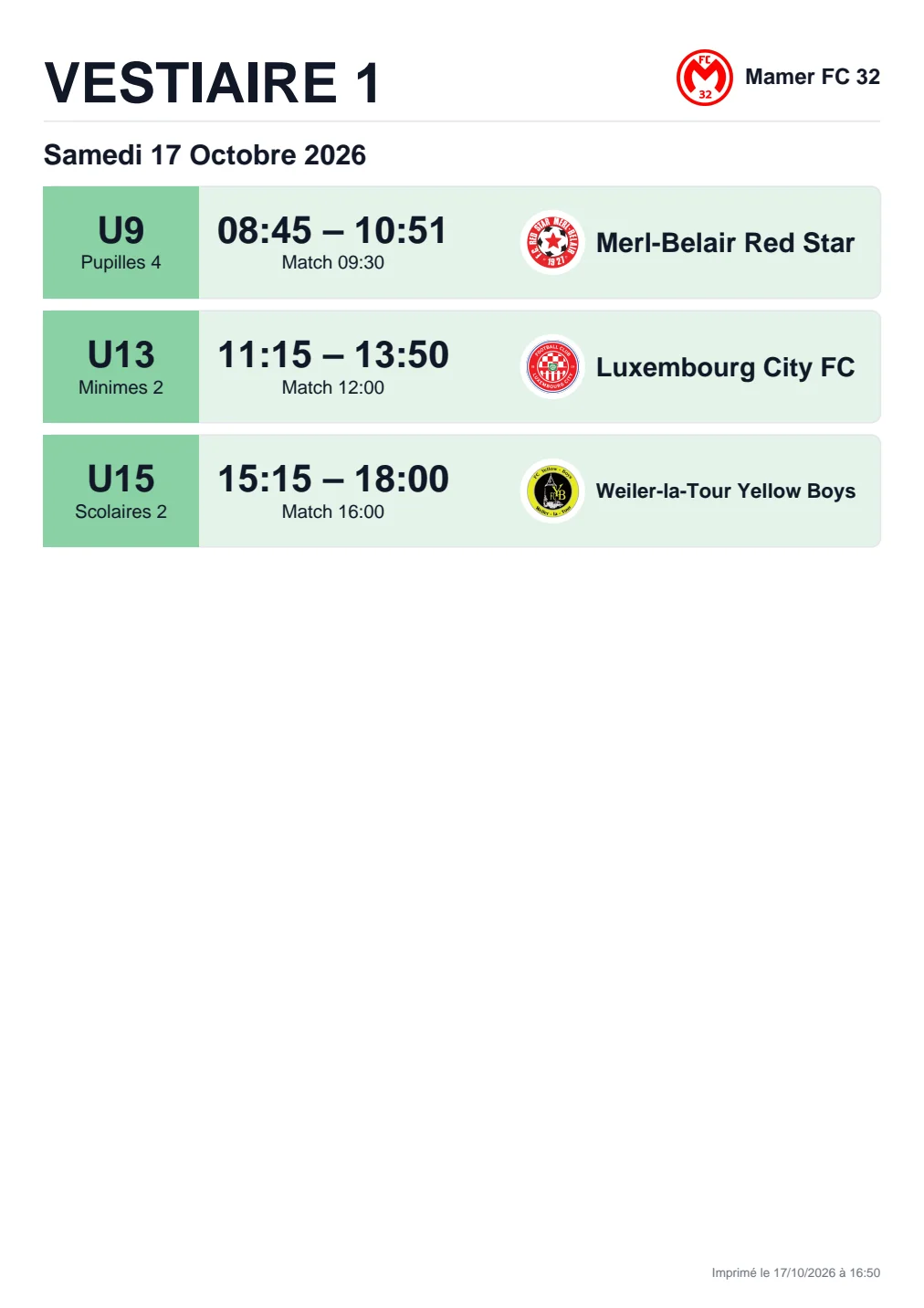
Locker room sheets, door posters and the weekend programme get printed.
Every team knows its locker room, its pitch and when to arrive. So does the referee.
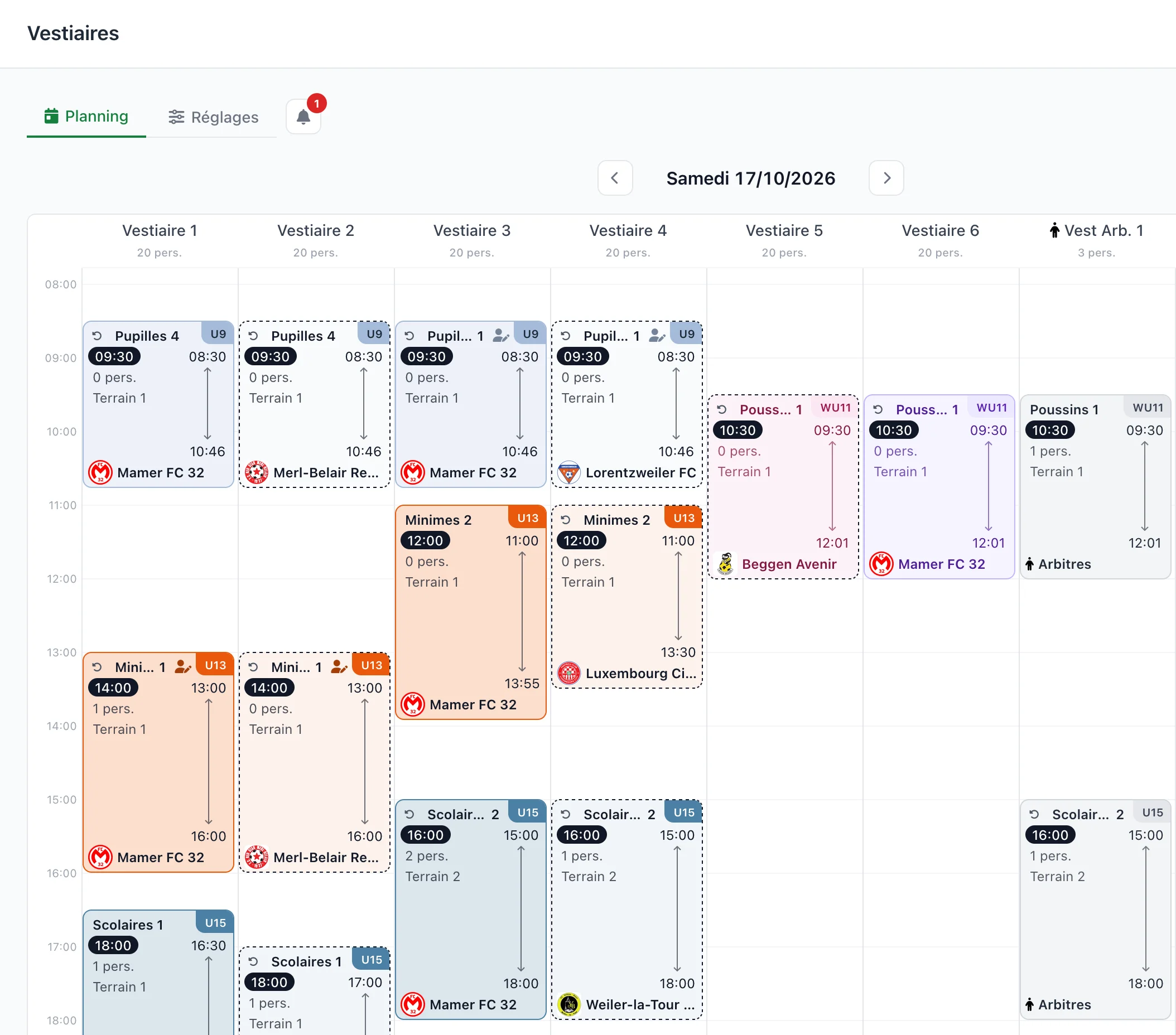
Team Manager works out who uses which locker room, from arrival to departure: your team, the opponents, the referees. It even counts the wait for the showers when several locker rooms share them.
The schedule is never set in stone: when a match changes time, the schedule follows. Drag and drop is all it takes to correct it, and an alert flags anything the calculation could not solve.
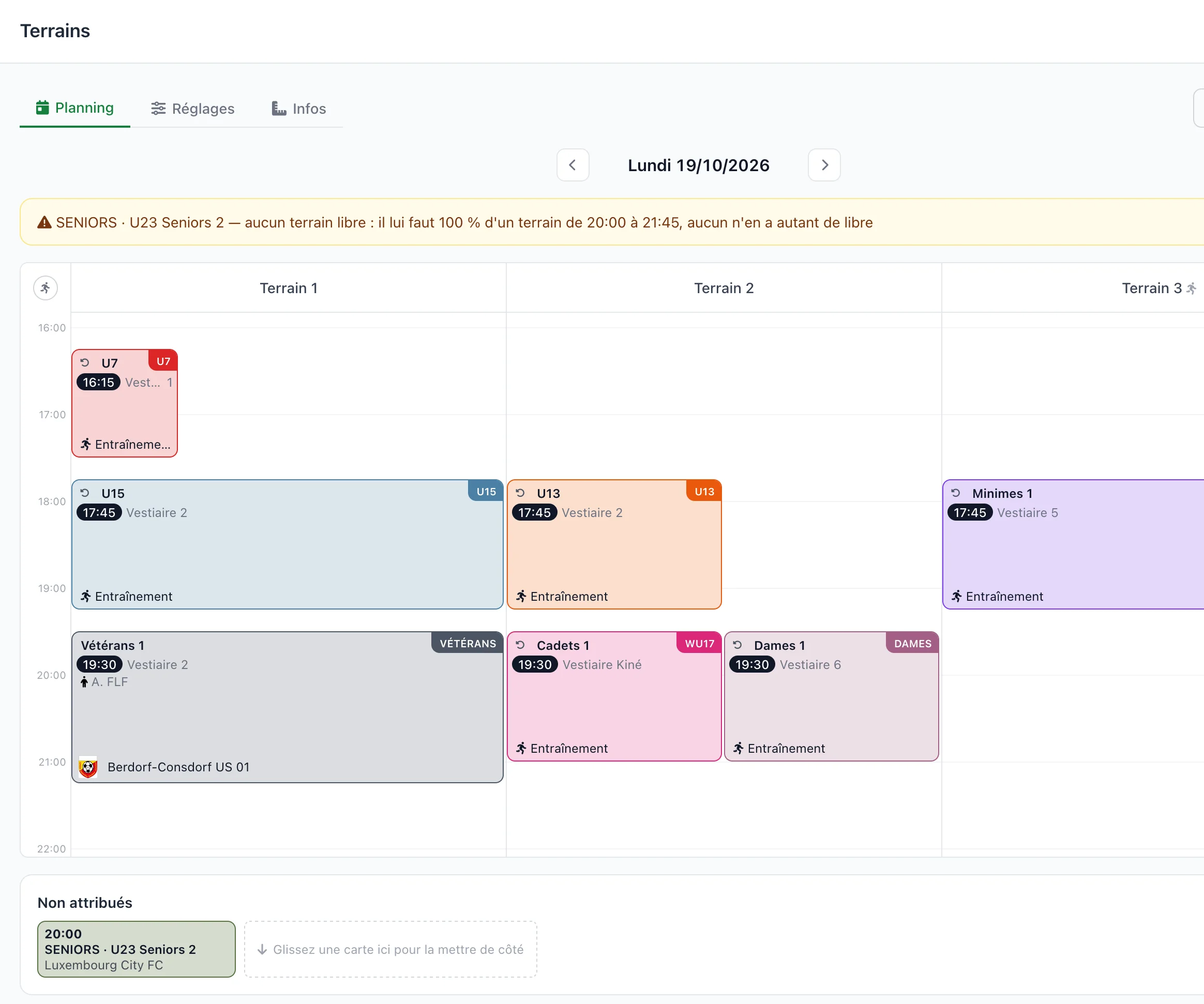
From the start of the warm-up to the end of the match, every home match and training session takes its share of a pitch. Two U9 matches share a pitch, a U15 match takes all of it, and no pitch ever holds more than it can.
A team always prefers the same pitch? You set it once. To correct, drag a card from one pitch to another, and anything that cannot find room is flagged, with the reason.
Team Manager places every home match and training session according to the size set for the category: two U11 matches or four U7 matches on a full-size pitch.
The pitch then appears everywhere: in the calendar, on the match page, on the parents' page and on the printed sheets.
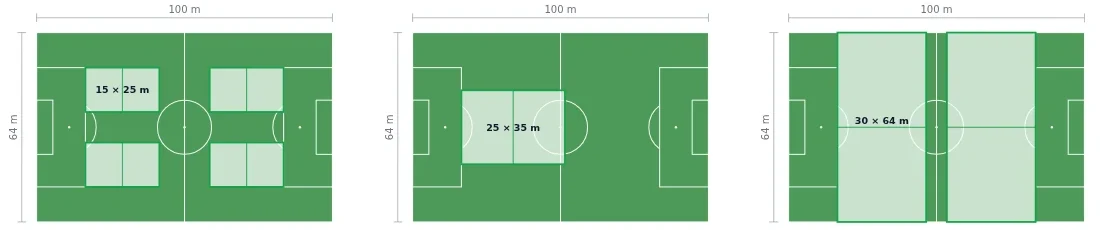
U7 four matches at once
U9 one match in the middle
U11 two matches side by side
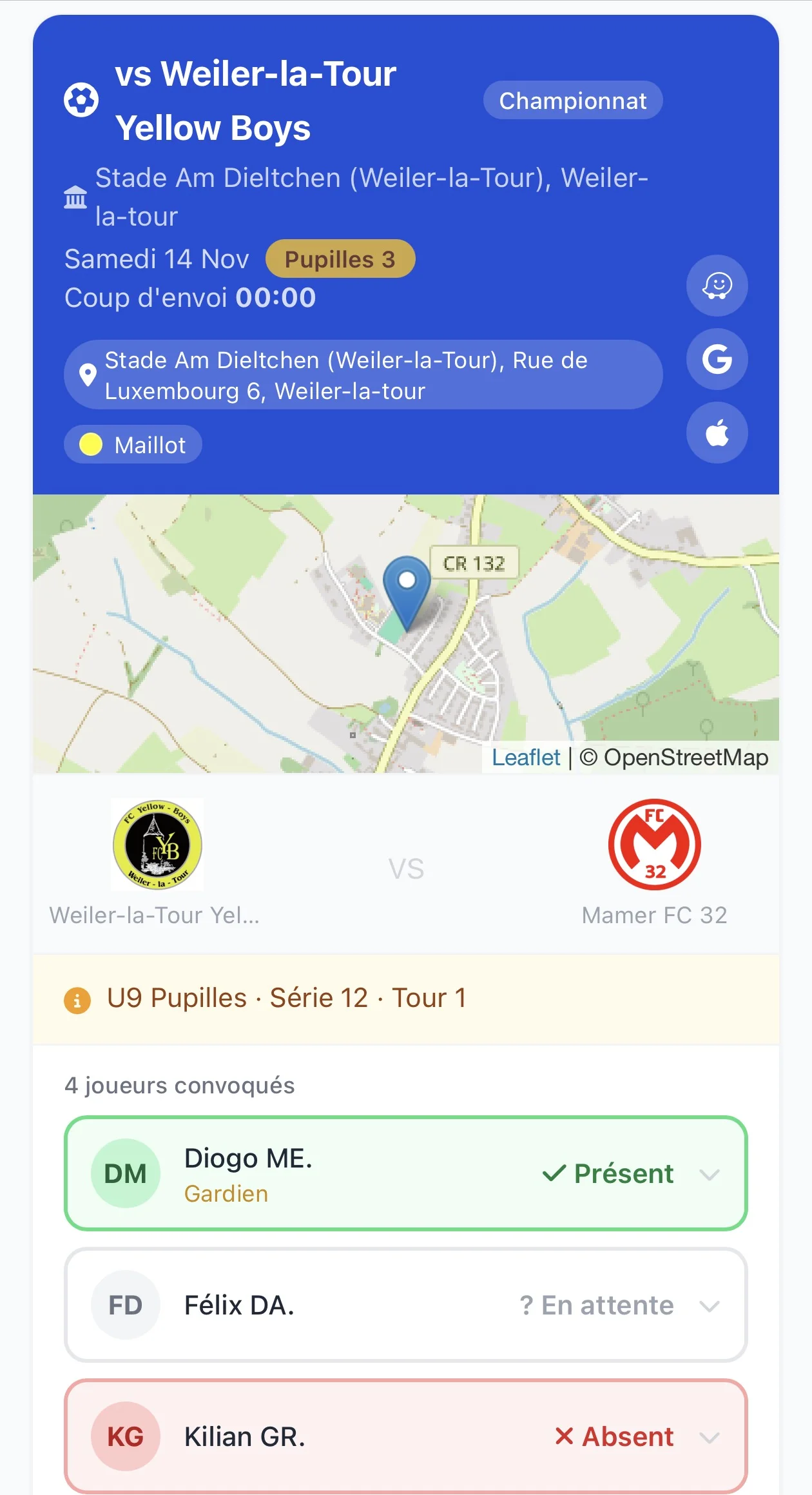
One link per category and per week. Parents find the kick-off time, the ground, the pitch, the locker room and the shirt colour, plus links to Waze, Google Maps and Apple Maps to get to the ground.
The weekly sheets, door posters and programme come from the same calculations as the screen. What you print on Friday matches what the team will find on Saturday.
CSV or XLSX. Columns are recognised, duplicates flagged before the import.
Results, each player's matches and training sessions, each club referee's matches.
A coach edits their own team, not the one next door. Everyone changes only what concerns them.
Clubs, locker rooms, players, coaches, referees and rights carry over. Only the teams need putting together again.
Français, Deutsch, English, Lëtzebuergesch, Português, Italiano.
A web browser is all you need.
Write to us, we'll get back to you.
Message sent. We'll reply by e-mail.
Message not sent: check your e-mail address and your message, then try again.
The message could not be sent. Please try again in a few minutes.